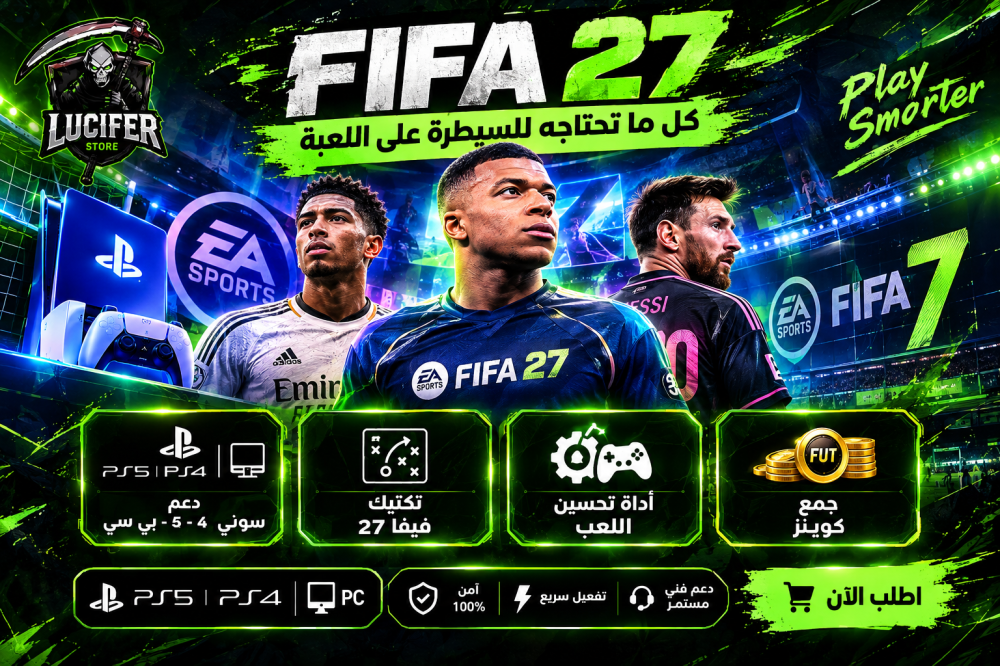
FIFA 27 Tactics - Game Improvement Tool - Skills - Coin Collection - Script without a Piece
0 USD
0 USD0 USD
Complete control of the stadium — without Kronos, directly from your computer
Lucifer FC 27 is a complete computer engine with precise timings down to the millisecond, without you having to buy a Cronus Zen component, and with an interface that allows you to modify everything while you play.
⚡ Performance — Measured Numbers
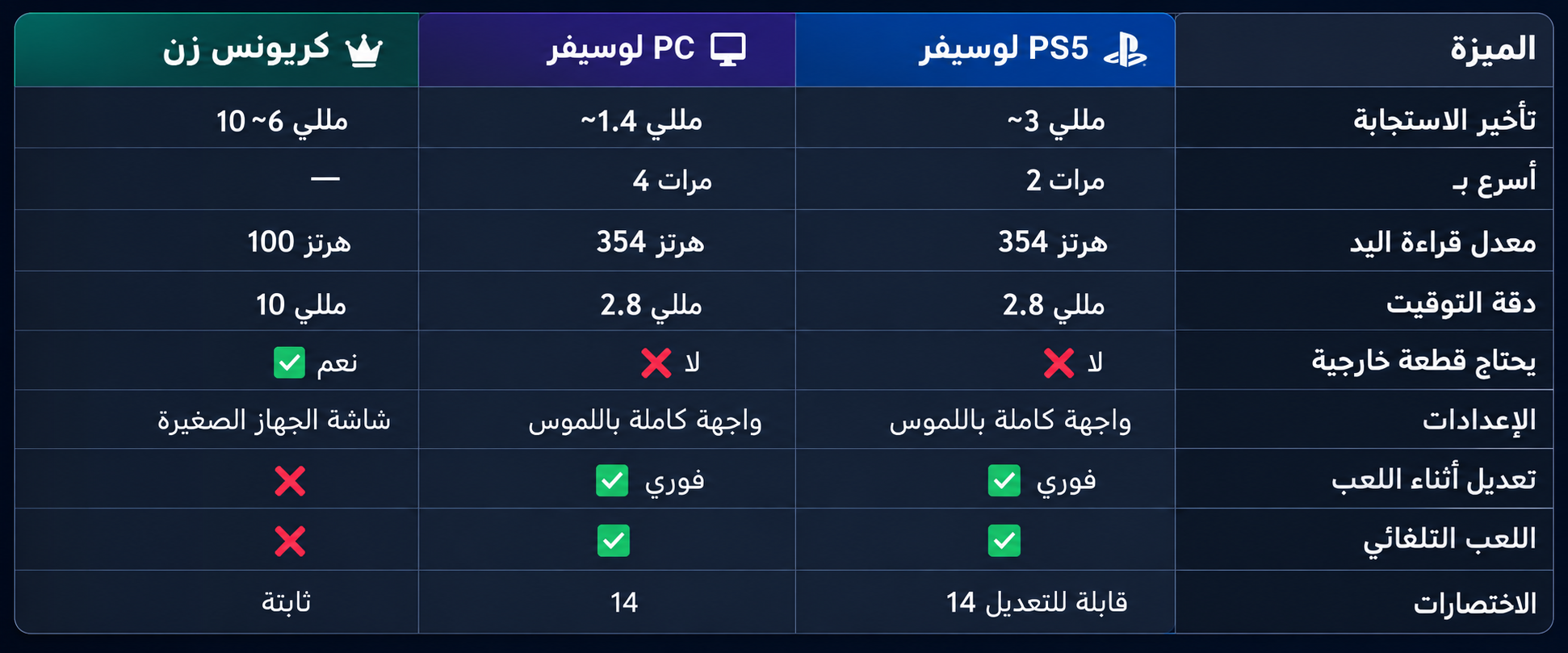
How we measured: Automated testing with tracking and measurement systems, and AI-assisted analysis — measuring the time of each stage individually (engine loop, command transmission, network), with 93 automated tests performed before each release. PS5 figures measured over a wired LAN with 0% packet loss.
Payment
8 types of shots: Normal, Ground (Lace), Artistic, Artistic Ground, Powerful, Powerful Ground, Finesse, and Finesse Ground.
Power for each type separately: a fixed number for each shot, or zero, so the power depends on your pressure.
Aim stabilization: Holds your aim until the ball is released.
Switching types during a match is done with R1 + arrows, without any menu — and the effective type remains saved.
The shot button is your choice: the shot button itself or the touchpad.
Skills
114 skills on two banks, switch between them with a press of (L3 + R3).
8 skills shortcuts working simultaneously — 4 for each bank.
Your skills on the arrows or the right stick, you decide.
Pause skills temporarily by double-pressing R3.
New FC 27 moves
Curved running and follow-up pass with a single press.
The strength of the dunk is determined by you.
Running layer: Hold R2 and tap L2 — extra moves without ruining your shot.
Corner assist, close running, and repeating the run request.
Attack and Defense
Running at a steady pace with one effort at a time.
A pass and a cross, timed to the millisecond.
Full defensive setup: teammates press in rhythm, two-touch entry and exit, and protection against repeated interference.
🆕 Auto-play — Squad Battle and Friends
The program plays offline matches on its own with "one-button" control.
X-presses of varying lengths + natural random movement of the stick.
It stops immediately the moment your hand touches it.
You can activate it from a button in the program or from a shortcut on your hand that you choose.
The shortcuts — they're all yours
14 Shortcuts: First button + Second button (optional) + One or two clicks.
One button works by itself, and DEFAULT restores the original buttons.
A master key from your hand turns the entire engine off and on — without you leaving the game.
Form and Use
Arabic or English menus, switch with a click.
A script screen like the Kronos screen: the effective shot, the working bank, and the skill that was unleashed — and you let it float above the game in a shape, size, and transparency of your choosing.
It works directly on PC, and on PS5 via the Lucifer Store's Remote Play.
DualSense and DS4 support with axis adjustment and L2/R2 switching.
Every change takes effect immediately while you are in the game.
Why choose the program instead of the script?
What Cronus Zen needs — to save the price of the unit.
4x faster response time on a computer — measured, not claimed.
Everything is done from the screen using the mouse instead of the small device menus.
Fully customizable shortcuts.
Automatic Squad Battle matches.
Continuous updates and technical support via WhatsApp.
Before purchasing, make sure
Windows computer (installs drivers automatically on first startup, and requires a restart only once).
⚠️ Sony controller (DualSense PS5 or DualShock 4) — the program will not work without it.
For the PS5 version: a stable connection, preferably Ethernet (the speed figures above are measured over a wire).
For personal use only and do not share the program.
Review the warranty terms and return policy.
Frequently Asked Questions
Do I need Kronos Zen? Not at all. This program is a substitute.
Does it work on PS5? Yes, via the store's Remote Play system — you play on the PlayStation and the program works on the computer.
When I press STOP, does it kick me out of the game? No. It just stops the engine and lets you get your controller back; the game continues. And if you want it to disconnect from the console, there's a setting you can enable.
Do I need technical expertise? No, it comes ready with the settings set up.
Does it work on FC 26? It is based on FC 27, and it runs with excellent performance on FC 26 as well.
After purchase: Enter the link and enter your order number and your phone number to control and download your order:
https://luciferstore.store:3000/customer-portal.html